iPhone Storage Almost Full? Get the space back, privately.
Declutta finds the duplicate photos, similar shots and large videos filling your iPhone, shows how much each would free, and deletes or compresses only what you confirm. Free, no ads, no account - and it all runs on your phone.
Example based on Declutta's home screen on a 128 GB iPhone: 99 GB used, up to 51.3 GB that can be freed, and its three Biggest wins. Your figures depend on your library.
Declutta at a glance
Price
Free, no subscription
Works on
iPhone and iPad, iOS 17+
Data collected
None
Internet needed
No, runs offline
Languages
26
What's filling your iPhone, and what Declutta does about it
Photos and videos are where the space goes on almost every iPhone. Declutta goes after them first, largest wins at the top.
Duplicates, screenshots and more · 12.9 GB in the example
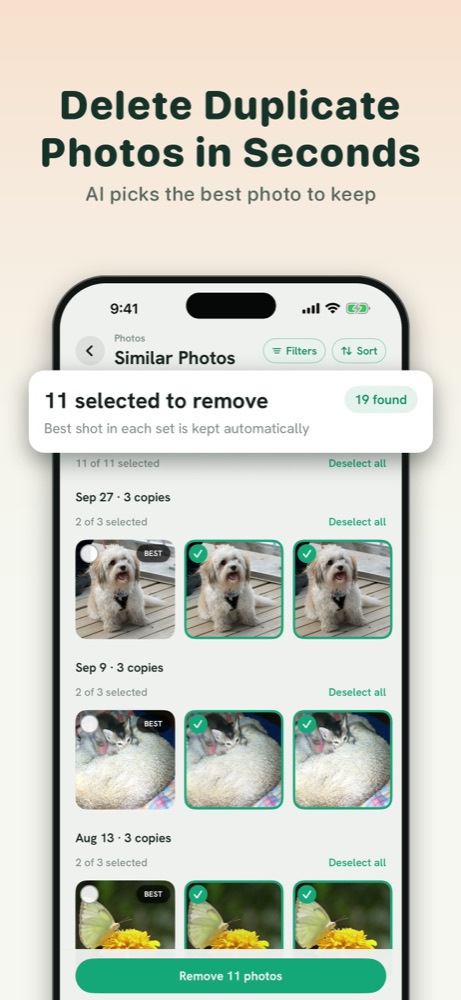
Delete duplicate and similar photos
Declutta groups exact duplicates and near-identical shots - bursts, eight takes of the same sunset, photos saved twice from Messages. The best shot in each set is kept and the rest come pre-selected, so a whole set clears in one tap.
Large videos · 20.3 GB in the example
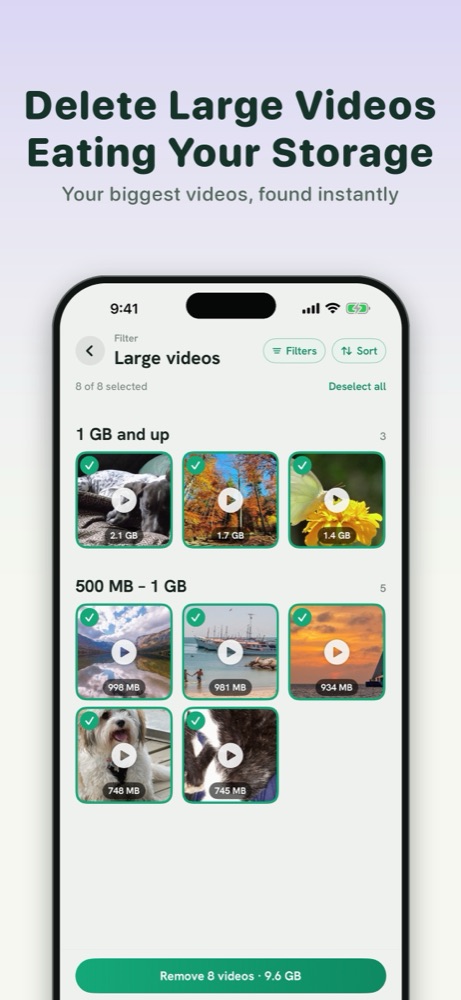
Find the large videos filling your iPhone
Videos are the biggest win on almost every iPhone. Declutta lists your library by size, biggest first, with the size on every row and a running total of what your selection would free.
Videos and photos to compress · 18.1 GB in the example
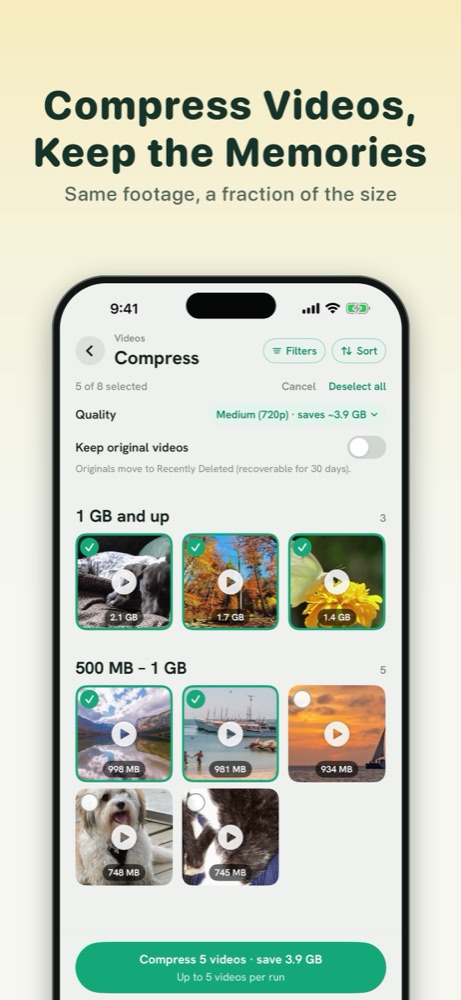
Compress videos and photos without deleting them
Keep the memory, lose the gigabytes. Re-encode videos at 1080p, 720p or 540p and see the saving per file before you start. The video stays in your library, just smaller, and photos keep their dates, locations and albums.
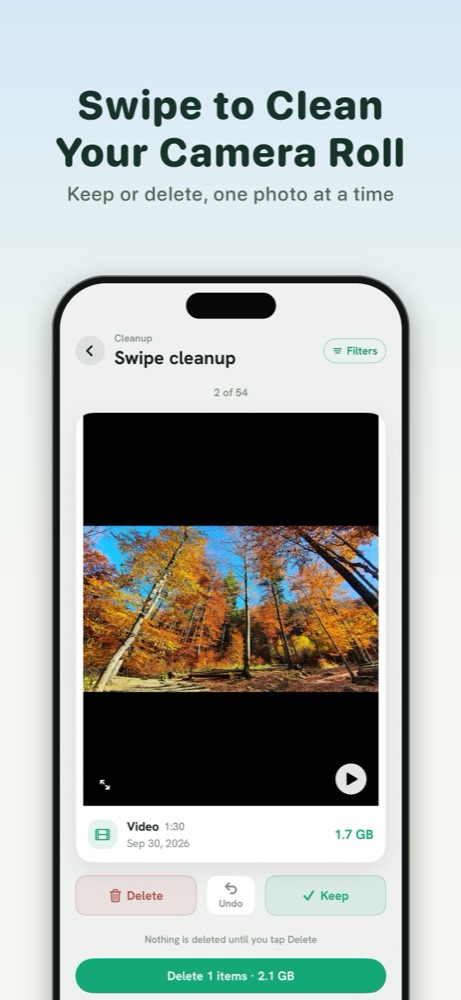
Swipe through your camera roll
Quick Clean shows one photo at a time: swipe left to bin it, right to keep it. Nothing is removed until you confirm the whole batch, so you can go fast without worrying.
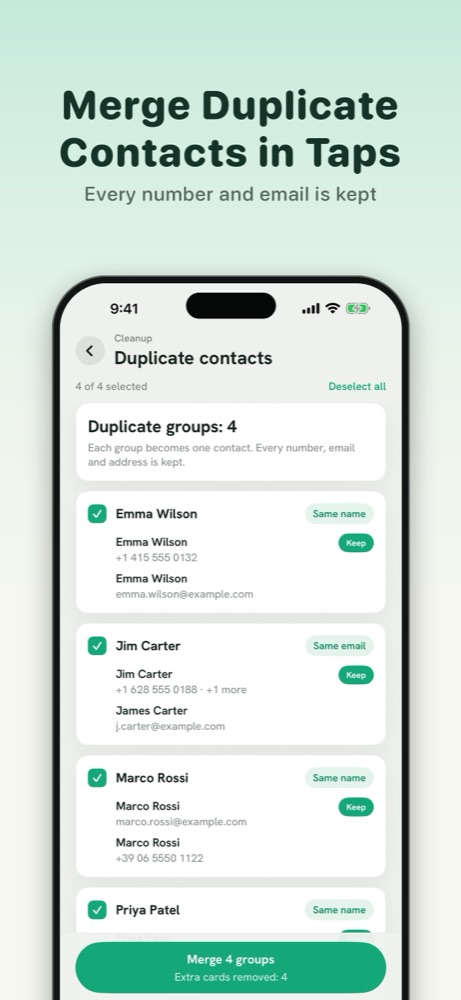
Merge duplicate contacts
The same person saved three times? Declutta finds contacts that share a name, email or number and merges them into one card, keeping every detail.
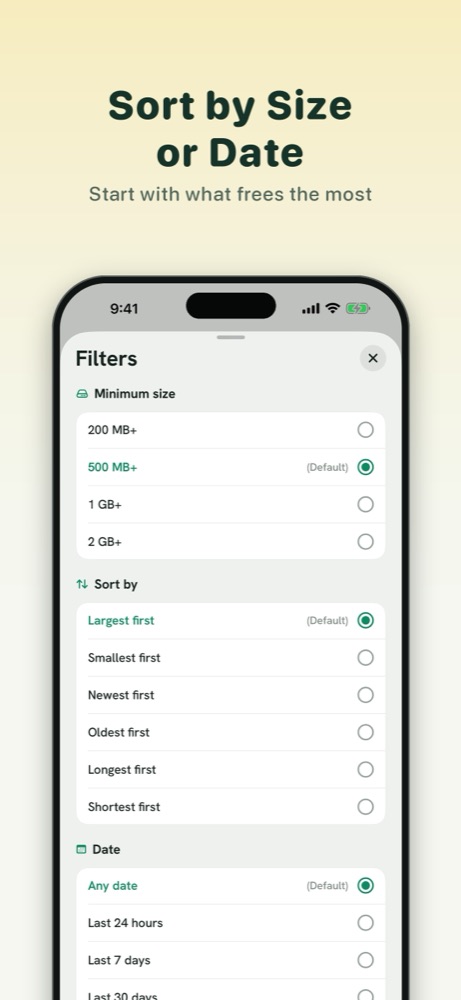
Sort and filter by size or date
Set a minimum file size, sort by largest, smallest, newest or oldest, and narrow to a month, a year or the last seven days - so you can clear last week's video dump without wading through a decade of photos.
It also clears
Screenshots
Screen recordings
Burst photos
Blurry photos
Selfies
Live Photos, converted to stills
How to free up space on iPhone with Declutta
Install Declutta
Free from the App Store. There is no account to create.
Allow photo access
iOS asks first. The scan then runs on your iPhone - nothing is uploaded.
Start with the biggest wins
The home screen shows how much each category can free, largest first.
Review, then confirm
Nothing is deleted until you tap Delete, and deleted photos go to Recently Deleted first.
Declutta vs typical iPhone cleaner apps
Many cleaner apps show a scan for free, then charge before you can delete anything. Some advertise things iOS does not allow any app to do.
Point
Declutta
Typical cleaner app
Price
Free, no paywall
Free scan, then a weekly subscription to delete
Account
None
Often required
Your photos
Scanned on your iPhone, never uploaded
Sometimes processed on a server
Ads
None
Common
Claims
Only what iOS allows: photos, videos, contacts
"Junk files", "RAM boost", "clear cache" - which iOS does not permit
Nothing leaves your phone
Declutta cannot look at your photos. Not because we promise not to - because there is nowhere for them to go. The whole scan runs on your iPhone, there is no account, and the app makes no network requests of its own.
When my daughter was born, my iPhone storage started disappearing fast. Every cleaner I tried wanted a subscription before it would show me anything. All I wanted was to find the duplicates and the biggest videos, and decide for myself what went. So I built it - and since these are my family's photos, nothing ever leaves the phone.
Frequently asked questions
Is Declutta free?
Yes. Declutta is completely free, with no paywall, no subscription and no ads. Finding duplicates, compressing videos and deleting clutter all work without paying anything.
Does Declutta upload my photos?
No. Every scan runs on your iPhone and nothing is uploaded to a server. Declutta has no account, no analytics and collects no data, and it works with no internet connection at all.
How do I delete duplicate photos on iPhone?
iOS 16 and later has a Duplicates album under Utilities in the Photos app, but it only finds exact copies. Declutta also finds similar photos and bursts, keeps the best shot in each set, and clears the rest in one tap.
Why is my iPhone storage full?
On most iPhones the largest share is photos and videos, especially 4K video, bursts and screen recordings. Settings > General > iPhone Storage shows the breakdown. Declutta shows how much each category can free, largest first.
Does compressing a video reduce its quality?
Slightly. Declutta re-encodes to 1080p, 720p or 540p, which looks the same or close to it on a phone screen and is far smaller than 4K. You see the saving for each video before compressing, and the video stays in your library.
Can I get back photos I deleted by mistake?
Yes, for around 30 days. Photos deleted through Declutta go to the Recently Deleted album in the Photos app, where iOS keeps them for around 30 days before removing them for good.
Does Declutta work on iPad?
Yes. Declutta runs on iPhone and iPad with iOS 17 or later, and includes a Home Screen widget that shows how much space you can free.
Can a cleaner app clear junk files or cache on iPhone?
No. iOS seals each app's files inside its own sandbox, so no app can clear another app's cache or "junk files". A cleaner can legitimately clean your photo library and contacts, with your permission - which is what Declutta does.
What languages is Declutta available in?
Declutta is available in 26 languages, including English, Spanish, French, German, Hindi, Japanese, Korean, Arabic, Portuguese and Chinese.
 Declutta